A clear purpose
Give your campaign its own donation page and link. Share it on your website, in email or through QR displays wherever you meet supporters.
Explore this feature
Nonprofits & charities
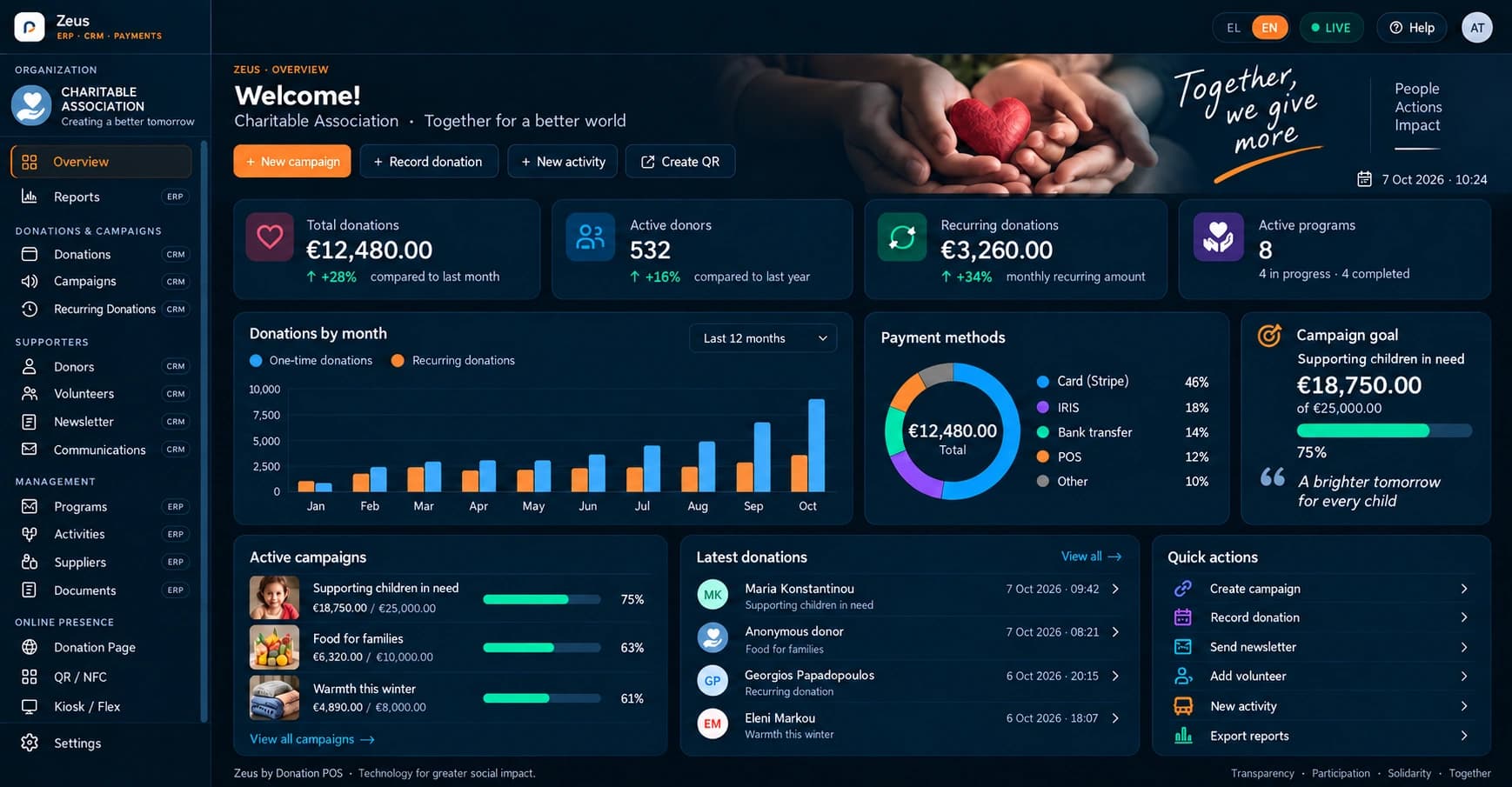
Connect in-person and online donations with your campaigns, supporters and organisation reports. Donation POS brings payment channels and management tools together in Zeus, with services selected for your nonprofit’s needs.
FROM NEED TO SOLUTION
Give your campaign its own donation page and link. Share it on your website, in email or through QR displays wherever you meet supporters.
Explore this featureUse available supporter information in your CRM. Linking a transaction to a person requires suitable identifying information; an anonymous gift does not automatically identify a donor.
Explore this featureReview recorded donations, fees and amounts by period or donation point. Zeus reports and exports support checks on the services enabled for your organisation.
Explore this featureILLUSTRATIVE WORKFLOW
The charity publishes a clear purpose, shares QR codes at an event and uses POS where that service has been activated. The team reviews recorded receipts in Zeus and prepares its board update.
The final workflow is configured around the organisation’s needs and enabled services.
Donation POS combines donation channels, supporter CRM and financial management tools. Zeus is the organisation’s workspace. Available modules, equipment and any external integrations are confirmed before activation.
Discuss the application, its version and the data you want to transfer. Platform reports do not imply a ready-made connector to every ERP. Compatibility and the transfer method require a specific review.
Access depends on the organisation and the user’s role. Zeus provides reports for authorised administrators and accountants according to the services enabled for the organisation.
Consider platform fees, payment-provider processing, any subscriptions and equipment separately. The published pricing and a quotation for your charity establish the specific arrangement.
Nonprofits & charities
Bring your own workflow. We will review services, equipment, access and costs for your organisation.