A donation flow, not a checkout
The screen asks for a donation, not a product payment. The donor picks an amount and finishes with one tap.
Accepting donations
Donation POS offers card donations through physical terminals or Tap to Pay on a compatible phone. Charities, associations and religious organisations can choose a setup for their premises or events, subject to compatibility and activation checks.
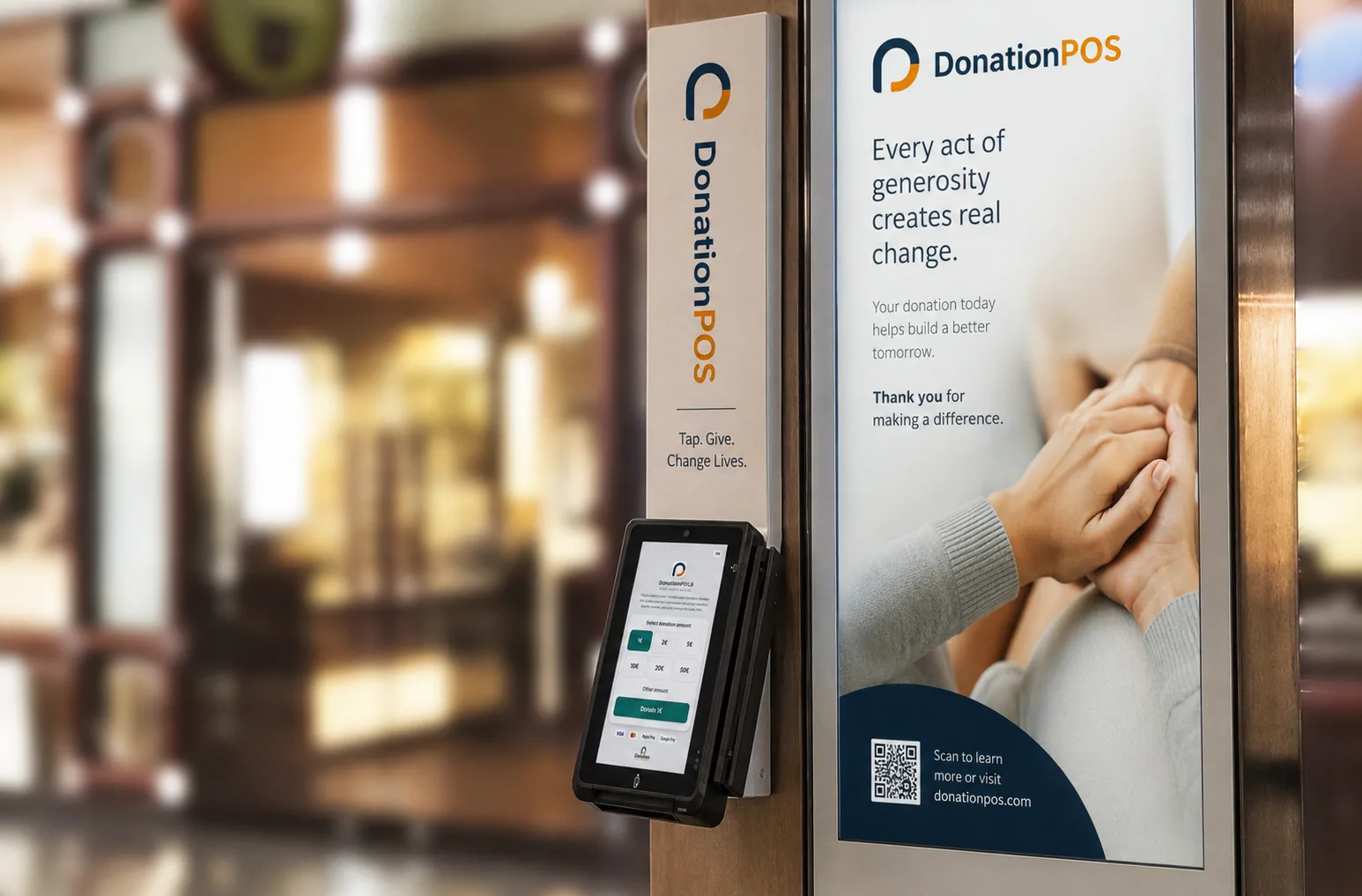
The terminal is designed for places where the donation happens in front of other people — so it has to be quick, discreet and self-explanatory.
The screen asks for a donation, not a product payment. The donor picks an amount and finishes with one tap.
Suggested amounts for speed, with a free amount for anyone who wants something else.
Stands and enclosures designed for churches, foyers and public spaces.
The donation screen appears in the visitor's language, which matters in places with visitors from abroad.
Each terminal belongs to a donation point, so its performance is visible on its own.
Each organisation's equipment is tracked by serial number and status.
The organisation is verified and receives its own payment account.
The terminal arrives configured and bound to its donation point.
The visitor picks an amount and pays contactlessly with a card or phone.
The transaction is recorded and the amount settles to the organisation's account.
The terminal is a channel — not a separate system.
Terminal gifts appear alongside QR, online and recurring donations.
Each terminal belongs to a donation point with its own performance.
Income, fees and settlements are tracked in the same system.
The status and serial number of each device are held per organisation.
Yes. Donation POS offers Tap to Pay so a compatible phone belonging to the organisation can accept contactless donations by bank card or digital wallet. Device, country and payment-provider availability are confirmed before activation.
The choice depends on how donations will be collected, available equipment and provider compatibility. Donation POS offers physical terminals and Tap to Pay on compatible phones. Share your country, venue and device when requesting a setup recommendation.
The flow is designed for a donation rather than a sale, and the transaction is recorded as a donation to the organisation, with the reporting that follows from that. The organisation is always the issuer of the documentation; the platform holds the data and configuration required.
Each terminal belongs to a donation point, with reporting for that point. Each registered organisation keeps its own payment account; onboarding confirms the provider and equipment available for its country. For fully unattended operation there is the touch-screen kiosk.
In-person card acceptance depends on the payment provider supporting that specific country, and is confirmed during onboarding.
Equipment, subscriptions, platform fees, payment-provider fees and VAT are separate pricing items. See the published pricing and confirm the equipment and charges for your organisation before activation.
The POS point is assigned to the organisation and the available recording workflow. Financial reports appear in Zeus according to enabled services. An identified donor profile requires suitable identifying information, while an integration with a third-party ERP is reviewed separately.
You can explore the Zeus demo and request a presentation for your organisation. We confirm donation points, equipment, the payment provider, reporting and the individual cost components during that discussion.
FOR YOUR MISSION
Talk through which donation point is better served by a physical terminal, and which by QR or a kiosk.